Factsheet (PDF) Free product webinar: let an expert explain CrewBrain to you! Join now

Crew Management Software for Catering and Event Hospitality

New venue every week, casual staff booked at short notice, night and Sunday premiums – and by Monday nobody knows who actually worked which hours. CrewBrain schedules your service, kitchen and bar crew, records their hours on site and calculates the premiums from the times booked.

 Try free for 30 days

Every event is a new line-up

A catering business does not staff a workforce, it staffs each event from scratch. Forty service crew for the company party on Friday, twelve for the Saturday morning reception, three chefs for a menu that has to be on the table at seven. The pool is a mix of permanent staff, casual workers, students and crew supplied by an agency. Half of them work irregular hours, some on short-term contracts.

Run that from spreadsheets, group chats and phone calls and you lose time in three places: working out who is actually free, calculating the premiums, and proving afterwards who was really on site. CrewBrain brings those three together in one system – from the enquiry through to the payroll export.

Service crew working an event catering shift

The order books the service, you still have to staff it

Your banqueting or ordering system knows a reception for 200 guests is coming. Who serves it, with which qualification and at which premium, starts where that system stops. That crew side is exactly what CrewBrain does.

The four bottlenecks in catering

It is not the big questions that cost time, it is four recurring ones. Each has a specific function behind it.

1

The pool is bigger than the overview

Two hundred names in a list – but who is free on Saturday, who is cleared to serve alcohol, whose food-handling certificate is still valid, and who already worked three days last week?

2

Premiums are the rule, not the exception

Nights, Sundays, public holidays – in event catering that covers most assignments. Work it out in a spreadsheet afterwards and you either get it wrong or spend a day on it.

3

Rest periods collide with the business

Late shift until two, early start at eight – the arithmetic does not work. Nobody notices while planning; everybody notices during an audit.

4

There is no desk at the venue

Hours are recorded in someone else’s building, often without Wi-Fi, often by people working with you for the first time.

What CrewBrain puts against each bottleneck

Scheduling by qualification and availability

Filter the pool by certificate, language, travel radius and hours already worked. CrewBrain checks for clashes automatically and shows only the people who can actually be booked. More on personnel planning and personnel management

Premiums calculated as you go

Night, Sunday and public-holiday premiums including combination rules – straight from the recorded hours, with an export to payroll. More on payroll statements

Rest periods and working-time limits in view

CrewBrain warns when the rest period you configure is not met – eleven hours between two assignments by default – and flags Sunday work and shifts over ten hours before the roster is published. More on time recording

Time recording on site – six ways

An RFID terminal at the staff entrance, the app on a personal phone, a desktop clock in the kitchen. Six options, so that one of them fits every venue. More on the employee app

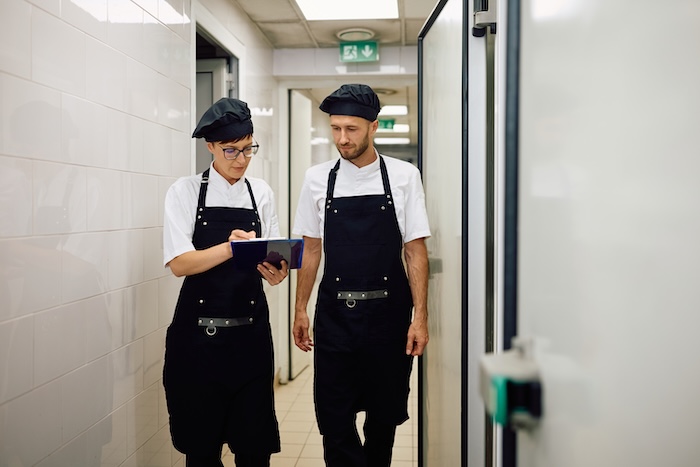
Kitchen team preparing an event catering menu

The certificates that count in catering

Certificates are held with an expiry date, and CrewBrain warns you before one of them lapses: food-handling and hygiene training, alcohol-service authorisation, first-aid qualification, the driving licence needed for transport runs. Anyone without a valid certificate does not appear as available in the first place.

Which records you have to keep is decided by your business and the rules that apply to it – CrewBrain monitors the expiry dates and keeps the documents to hand for the event.

Connected to the systems you already run

You do not have to retype the requirement. Where your banqueting, ordering or event system can hand over a booking, CrewBrain picks up the crew requirement from it – through one of the ready-made interfaces or through the REST API and webhooks.

The division of labour stays the same either way: the other system says a reception for 200 guests needs two bartenders and four service crew. Which two and which four – with the right certificate, free that evening, within travel distance – is what CrewBrain settles. An overview of the connected systems and the open interface is under interfaces and open API.

Freelancers, travel and build-up days

Large events run on freelancers and crew travelling in. Their fees, journeys, hotel nights and meal allowances belong to the job – and usually to a separate pile of paperwork. In CrewBrain travel expenses hang directly off the shift: the crew member enters their own mileage, hotel receipts and allowances, you approve them, and everything goes to accounting together with the hours. More on travel expenses

The run-up to an event becomes plannable too. Build-up the day before, the dress rehearsal, the overnight strike – each of those phases gets its own requirement, its own crew and its own time recording. So at the end you know not only who served, but who moved the partition walls, polished the glassware and prepped the kitchen.

From quote to payroll – in four steps

  1. The crew requirement for an event arrives from your banqueting or ordering software – or you enter it directly.
  2. You fill the positions from the filtered pool; clashes, rest periods and missing certificates are flagged immediately.
  3. On site the crew record their hours via terminal, app or desktop clock – every booking attached to its shift.
  4. CrewBrain calculates premiums and travel expenses from the actual hours and hands them to payroll.

Frequently asked questions

Does this work for casual and short-term staff?

Yes. Casual workers, students and short-term staff sit in the same pool as permanent employees and freelancers, with their availability and qualifications. When scheduling you can see for every person how many days they have already worked in a given period.

How do casual staff record hours if they do not want to install the app?

Through the RFID terminal at the staff entrance or the desktop clock on site. Nobody has to install anything – the recorded hours still attach directly to the right shift.

Are Sunday and public-holiday premiums calculated automatically?

Yes. You set up your premium model once, after which CrewBrain calculates night, Sunday and public-holiday premiums from the recorded hours – including cases where several of them apply to the same shift.

Can we schedule agency crew alongside our own?

Yes. Crew from staffing agencies can be kept as their own group and scheduled into the same events as your own team, including time recording and reporting.

Can CrewBrain connect to our ordering software?

Several systems have ready-made interfaces, and beyond those a REST API with webhooks is available for connecting your own. Which route fits depends on what your system can export – we are happy to look at it with you.

If you do not employ your service crew directly but source them from an agency – or supply them yourself – it is worth looking at the software for security services as well, where the same supply and documentation questions apply. Catering is one of several industries for which CrewBrain bundles the relevant functions; the software for the live event industry gives you the overview.

Anführungszeichen linksAnführungszeichen rechts
BENZ & CO. Gastronomie GmbH

At that time, we were looking for a solution to effectively plan and reach internal as well as external staff. CrewBrain stood out because of the easy connection to external service providers and the great... mehr

Jochen Stubner, Head of Controlling/Purchasing
mls magic light & sound GmbH

Since we have been using CrewBrain for our entire personnel planning, the daily time expenditure for our dispatchers has decreased significantly. But above all the employees appreciate the new overview... mehr

David Floss, Operations Manager

Billmann Event GmbH

After a test phase in the fall of 2022, we have been using CrewBrain as our central project and scheduling tool since December. Above all, the simple handling for creating projects lasting several days... mehr

Markus Urbon, Operations Manager
Sinus Event-Technik GmbH

When it came to a decision on a software for personnel planning, several solutions were available. We are happy to have chosen CrewBrain. The possibilities to plan each project very quickly and in detail... mehr

Thorsten Schmidt, Managing Director
RheinlandAkustik VT GmbH

We have been using CrewBrain 2021 for all our staff and vehicle planning and are super satisfied with the software. We can't imagine our everyday work without CrewBrain. It offers numerous options that... mehr

Philipp Suckrau, Managing Director
BigRig Berlin GmbH

For a long time, we were looking for a scheduling software that would make our daily work comprehensively and sensibly easier. We became aware of CrewBrain in the summer of 2016. After six months of intensive... mehr

Malte Jäger, Managing Director

The right package for every purpose.

Essential, Standard, Enterprise and various extensions.

 Plans & pricing
4.45 M+successfully plannedevents
45,600+Usersfrom 6 different industries
8.51 M+Status notificationssent 2025

7Languages
24Countries
459Cities

Try now for 30 days

Questions?

Write to us. We will get in touch with you immediately.

Name
E-Mail
Subject
Message:

By submitting the contact form, we process your specified personal data in order to answer your request according to our data protection policy.