

Employee chat, multi-level approvals and other improvements for CrewBrain
19 Nov 2026
Dear customers,
In the events industry, many things have to happen fast – and that requires quick and straightforward communication within the team. In practice, however, this often takes place in private messenger groups, where information gets lost and phone numbers are passed around unintentionally. That is why we are particularly pleased to introduce the new employee chat in CrewBrain in this update info.
The new version also brings multi-level approval processes, AI-powered receipt recognition for travel expenses and new interfaces. We would like to tell you about all the other changes and enhancements in this update info. As usual, the new version will be available to all customers from tomorrow.
We continue to wish you every success with CrewBrain
Your CrewBrain team
Employee chatArrangements for an assignment, a last-minute change or a quick question to the crew – until now, much of this was handled via external messenger services. With the new employee chat, this communication now takes place directly in CrewBrain, exactly where the planning happens. |
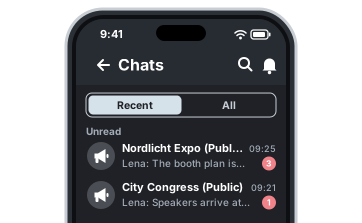 |
A chat for every jobEvery job has its own chat, which can be opened directly from the job. This way, all arrangements end up with the assignment they relate to – including the responsible dispatchers and project managers. |
All chats in one placeThe central chat area gives you an overview of all conversations at any time, without having to switch between individual jobs. |
Phone numbers stay privateAnyone communicating via private messenger groups has to reveal their phone number to all other participants. This is not necessary in the CrewBrain chat: your employees can talk to each other without having to share their private number with colleagues or freelancers. |
ArchivingChats are archived and are then available in read-only mode. This keeps a record of what was discussed for an assignment, without anyone continuing to write in old conversations. |
AvailabilityThe chat is available now in the Enterprise plan and is expected to follow in the Standard plan in the first quarter of 2027. |
|
Multi-level approval processesIn many companies, a single approval is not enough – for example when the team lead has to agree first and the HR department afterwards. With the new update, approvals in CrewBrain can therefore be mapped across several levels. |
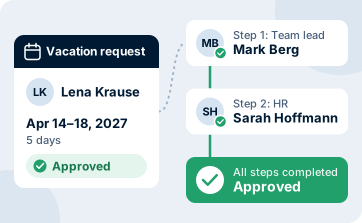 |
Several levelsFor each approval process, you can define which levels a request has to pass through. Only when all levels have agreed is the request considered approved. |
Holidays and absencesHoliday requests and absences can now be reviewed and approved by several responsible people one after the other. |
CertificatesUploaded certificates and proofs can also be checked in several stages before they are stored as valid. |
Travel expensesTravel expense reports can pass through several approval levels before payout – for example, first a review of the content and then a commercial review. |
AvailabilityThe multi-level approval processes are available now in the Enterprise plan. They are configured under Administration > General > Approval workflows. You can find more information in our wiki, and of course our support team will be happy to help you with the setup. |
|
Travel expenses, interfaces and automationAs usual, we have once again worked on connecting CrewBrain to other systems in this update – and for the first time, we are using artificial intelligence for travel expense reports. |
 |
Automatic receipt recognitionReceipts for travel expenses no longer have to be typed in by hand. An AI automatically recognises the relevant details on the receipt and transfers them to the report. This saves time and reduces typing errors. Receipt recognition is available now in the desktop version and will follow in the app in the coming weeks. |
Expenses via the APIExpenses are now also available via the CrewBrain API. This allows the data to be passed directly to accounting or payroll software, for example. |
DATEV import for master dataMaster data can now be imported directly from DATEV into CrewBrain. This eliminates the need to maintain the data twice in both systems. |
Webhooks for tasksWebhooks are now available for tasks. This allows external systems to be notified automatically when something changes in a task – for example to trigger your own workflows. |
Further adjustmentsAs usual, we have also implemented many other large and small improvements in this version. |
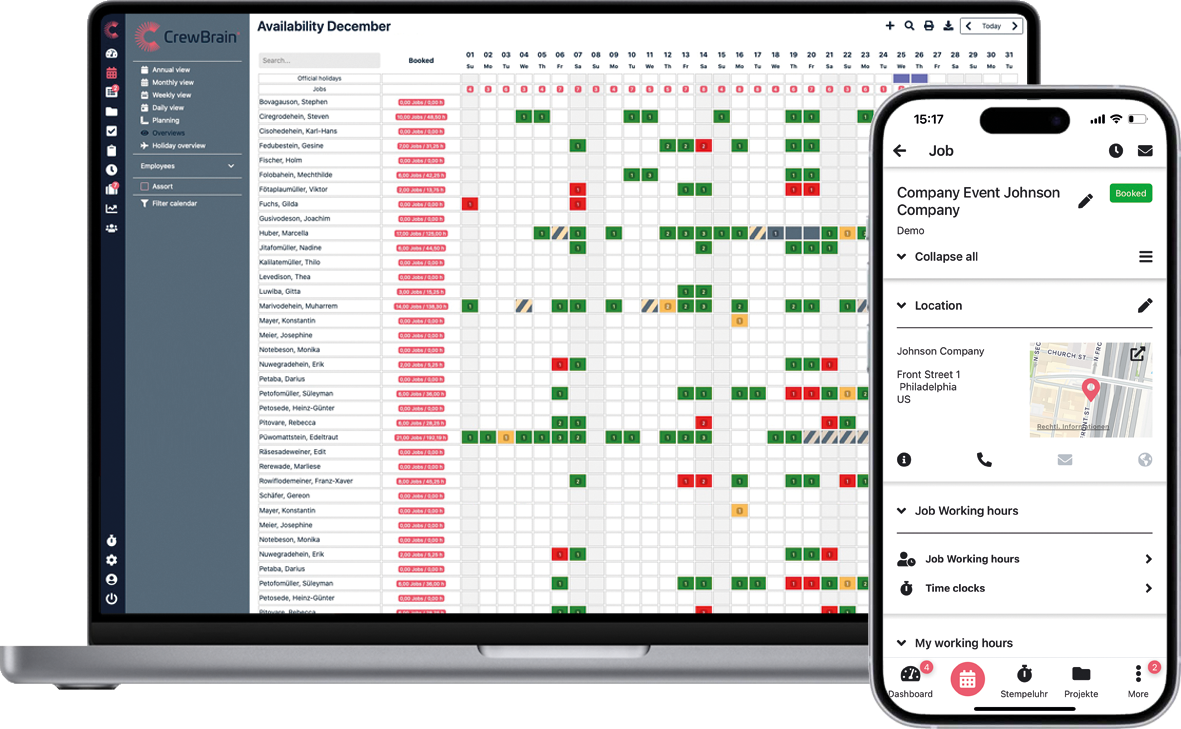 |
Maintenance for vehicles and work equipmentThe former “Inspections” tab is now called “Maintenance”. In addition to recurring inspections, one-off events such as repairs can now also be recorded there, without having to specify a next date. |
Separate permission for risk assessmentsThere is now a separate write permission for risk assessments and safety briefings in the job. This allows you, for example, to let an occupational safety specialist edit them without also giving them write access to the entire job. |
Training widgetTo go with the new training module from the last update, there is now also a widget for the dashboard. It shows you at a glance where your team stands with its training. |
Create jobs fasterIn the new project and job dialog, new jobs can now be created directly via a button in the footer. The creation dialog has also been extended: location, project and main job can be assigned directly when creating a job – including when creating it from the calendar. |
Deleted ObjectsDeleted objects (e.g., absences or working hours) are retained in the system for at least 30 days. In the future, you will be able to view and restore such deleted objects as needed under Administration > System > Deleted Objects. |
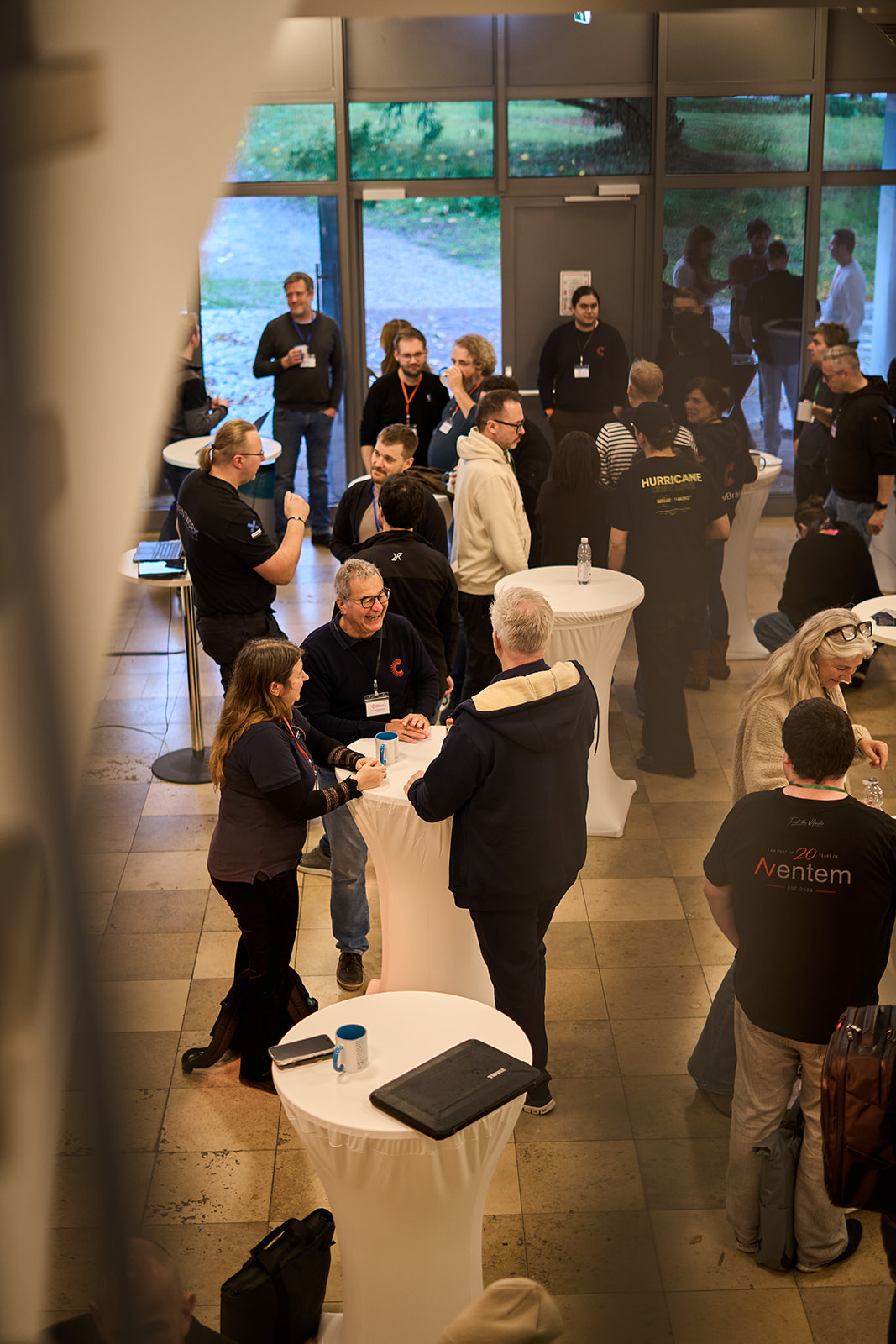
CrewBrain ConnectUnder the theme: Share experiences. Discover CrewBrain. CrewBrain Connect brought people together on November 17–18, 2026, to connect in person and exchange ideas about CrewBrain and key industry topics. Thank you to everyone who shared their questions, experiences, and ideas with us. The program included industry-focused presentations, a panel discussion on legal compliance when staffing events with external personnel, and a showcase of new features. But the best part was the atmosphere: You could feel the excitement of coming together everywhere. |
 |