 EN
Try now
Login
EN
Try now
Login

Training with knowledge checks, new project and job dialog and other improvements for CrewBrain
Dear customers,
Years ago, we committed ourselves with CrewBrain to optimising and professionalising processes in the events industry. One focus that has always been particularly important to us is safety – whether when deploying external workers or when actually carrying out the work. That is why we are delighted to present another important addition in this area in this update info: a training feature including knowledge checks.
Alongside this new feature, we are also finally able to release the new project and job dialog from its beta phase and make it available to all customers and users. We would like to tell you about all the other changes and enhancements in this update info. As usual, the new version will be available to all customers from tomorrow.
We continue to wish you every success with CrewBrain
Your CrewBrain team
Training with knowledge checksWhether it is a general safety briefing, compliance topics or phishing awareness – there is a lot that employers should (and in some cases must) train their employees on regularly. To make this even easier in future, CrewBrain now offers a dedicated training module. |
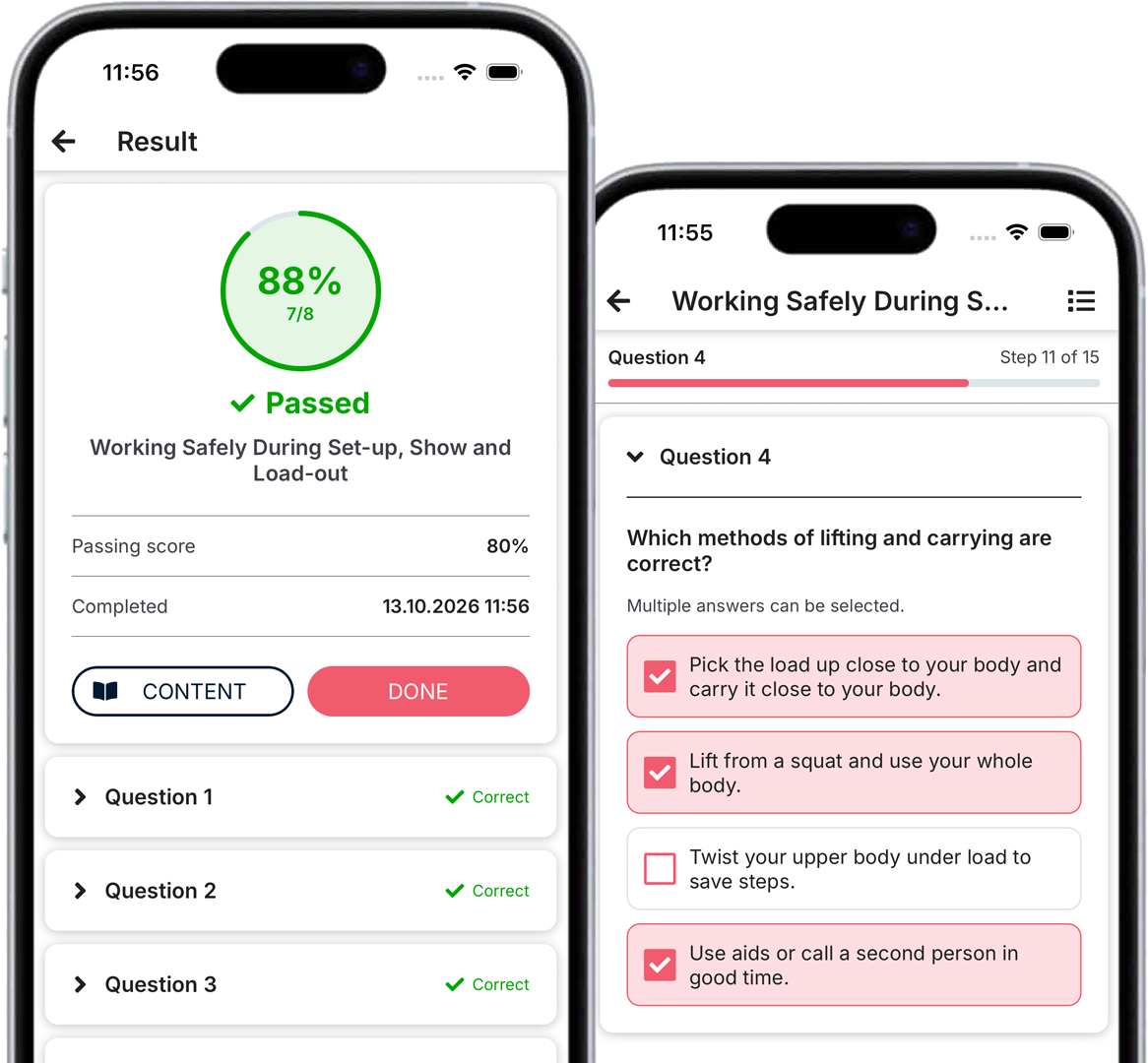 |
Creating trainingsTrainings can be created and edited under Administration > Occupational safety > Trainings. Each training consists of an introductory text and any number of documents – for example PDF documents or videos. |
Knowledge checkThe knowledge check is carried out using questions that the user has to answer after the training. For this purpose, a pool of questions can be created, and the system selects a predefined number of questions from this pool. At the end, the user receives an evaluation and is told whether they have passed the training. |
MultilingualWe know that many companies also employ staff who speak a different language. For this reason, trainings can optionally be fully translated into any number of languages. |
|
New project and job dialogThe new project and job dialog has now been available as an open beta for several months, and we are still delighted by the large amount of feedback we continue to receive. From now on, the new dialog is available to all users in CrewBrain and can be activated under My account > Settings. |
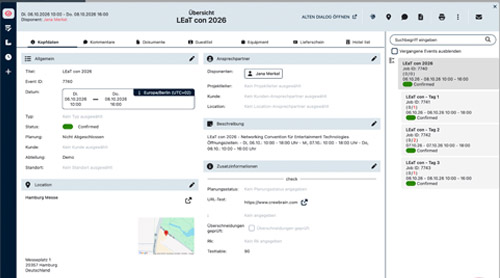 |
Project overviewThe new dialog always shows the complete project or job structure. This eliminates the tedious jumping back and forth between individual jobs that caused a lot of unnecessary clicks in the old dialog. |
Planning viewsThe dialog offers many new views in which you can always schedule directly and live. For example, the planned times of staff can be changed by drag & drop directly in the bar view, and the matrix overview (formerly the “staff plan”) shows considerably more information per staff member. |
ContractsAll contracts are clearly displayed in a separate view in the new dialog. This means you always have personnel leasing documents as well as service contracts in view, without having to jump into the individual jobs. |
Try it nowEvery user can activate the new project and job dialog for themselves under My account > Settings. And if something is still missing in the new dialog, a button in the header lets you open the job or project directly in the old dialog at any time. |
iCal subscriptionThe iCal subscription is one of the most frequently used features in CrewBrain. Over time, a number of requests relating to it have accumulated on our roadmap – and we have implemented them in the current version. |
 |
Other people’s holidaysWhen subscribing to other people’s holidays, you can now choose individually which people this should apply to. This allows you to limit the amount of data. |
Sick notesIt is now also possible to subscribe to sick notes as a separate category. Here, too, you can choose whether to include only your own sick notes or also those of other people (provided the user has the necessary permission). |
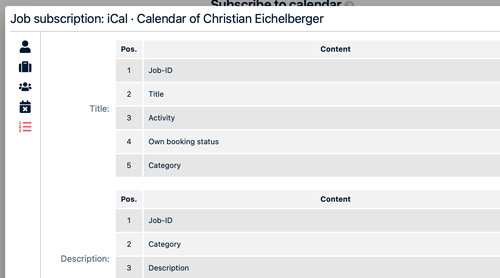
Content & titleUntil now, the content and title of the appointments in the subscription were fixed. In future, each user can choose from a list of possible options and also define the order individually. |
Project typesPreviously, it was only possible to filter by job types. Now project types can be filtered as well. |
Other resourcesFor each iCal subscription, you can define which resource it should refer to. This means that a user (with the appropriate permissions) can also create subscriptions for other users as well as for vehicles or rooms. |
|
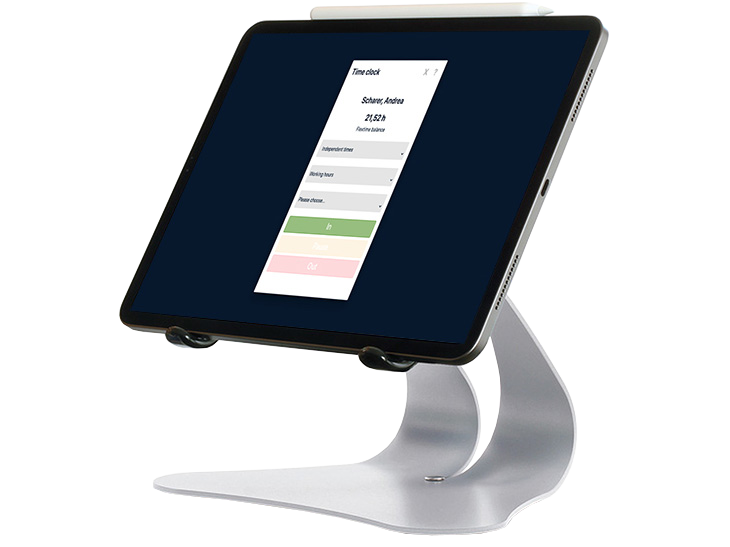
Billing & time trackingAs usual, we have once again made a number of adjustments to billing & time tracking in this update. |
 |
Rate type per categoryUntil now, only one rate type (e.g. hourly wage or day rate) could be defined for each person or price list – and it then applied to all categories. With the new update, the rate type can be set for each category. This makes it possible, for example, for a person to receive a day rate as a sound engineer but an hourly wage as a helper. |
Overtime on day ratesUntil now, overtime on day rates could only be billed per hour or per half hour. With the new version, it is now also possible to bill overtime in quarter hours. |
Bulk payoutA bulk payout is now available in the overview (via the “+” in the menu bar at the top). This allows you, for example, to create the payouts for mini-jobbers in a single step. The user simply enters the maximum amount and the system calculates the correct payout amount for each person. |
Expenses for sub-jobsExpenses and additional services could already be entered per staff member in the job, but this had to be done separately in each job or shift. In future, a single expense entry for all staff in all sub-jobs can be created directly in the project or main job. |
Further adjustmentsAs usual, we have also implemented many other large and small optimisations in this version. |
 |
More languagesIn this version, we are adding three more languages: Dutch, Danish and Polish. They complement the existing languages German, English, Spanish, French, Icelandic, Portuguese and Swedish, making CrewBrain even more international. |
Location documents from EventworxWhen syncing between Eventworx and CrewBrain, documents stored for a location in Eventworx can now also be transferred. This means that this information is also available directly in CrewBrain. |
Permission for the reason of absencesFor absences and holidays, user groups could previously only be given one permission covering both the category and the reason. With this update, we have split this into two separate permissions. This makes it possible to show individual people the category of an absence without revealing the reason. |
Future travel expense reportsWe have repeatedly been asked to make it possible to create travel expense reports in advance. We have removed this restriction in the current version, so travel expense reports can now be created in advance if required. However, such reports can only be submitted once the date is in the past. |